
Magic Cat Piano: Music Tiles
Beatwave StudioMusic
4.783.00 Reviews
- Version
- 2.5.0
- Installs
- 1.00M
- Age Rating
- Everyone
Screenshots


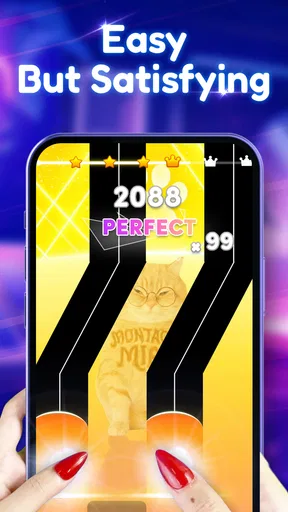
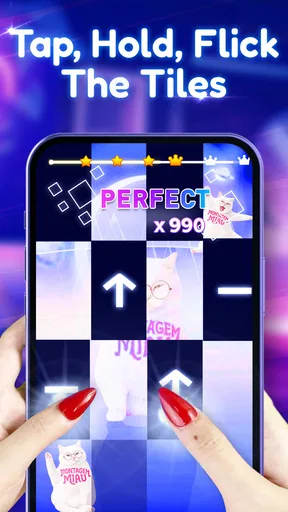




Our Review of Magic Cat Piano: Music Tiles
 Analysis by Appyee
I picked up Magic Cat Piano: Music Tiles expecting a quick rhythm game, and that is exactly where it makes the most sense. It turns piano-style tapping into a short, approachable challenge, with cute cats guiding the musical theme instead of presenting itself as a serious instrument or a full music-learning course. After spending time with it, I found the best experience comes from treating each session as a focused burst: settle your hands, listen to the pattern, and build consistency rather than simply tapping as fast as possible.
The game is made by Beatwave Studio and sits in the music category. It is free to start, rated for Everyone, and runs on Android devices using version 7.0 or later. Its broad appeal is easy to understand: the controls are familiar almost immediately, the presentation is friendly, and a short round does not demand the commitment of a larger game. At the same time, players should know what they are getting. This is a casual rhythm game built around tile tapping, not a replacement for piano practice and not a deep composition tool.
How the basic piano-tile workflow feels in everyday play
The first few rounds are deliberately easy to understand. Tiles appear in a vertical flow, and I tap them as they reach the playable area. The central habit is simple but important: I watch the next tile rather than staring only at the one under my finger. That small change gives me more time to prepare and makes the game feel less like frantic reaction testing.
For a quick session, I start with the phone held in the position that feels most stable, usually using one thumb when the pattern stays comfortable and switching to both thumbs when the sequence begins to travel across the screen. The game is much more enjoyable when I avoid gripping the device too tightly. A rigid hold makes small mistakes more likely, especially during repeated notes or quick changes from one side to the other.
The cat theme helps keep the tone light. It gives the experience a softer personality than a plain piano-tile clone, which matters when I want something relaxing rather than competitive. The visual style is also suitable for younger players, although adults looking for serious rhythm-game depth may find the presentation a little too cute. That is not a flaw by itself; it simply makes the intended mood clear.
A realistic use case is a short break between tasks. I can play a few rounds while waiting for an appointment, during a commute pause, or after finishing a study block. Because the interaction is immediate, there is no lengthy setup before the first tap. I would not choose it for a long uninterrupted evening unless I specifically wanted a repetitive reflex activity, but it works well as a compact way to reset my attention.
The most useful early routine is to play one round for orientation, one round for rhythm, and only then try to improve the result. If I chase a better performance immediately, I tend to rush. When I first learn the pace of a sequence, my taps become more even and I make fewer mistakes. This is one of the quiet strengths of a simple tile game: progress comes from developing timing habits, not from learning a complicated control scheme.
Touch response makes a noticeable difference to the experience. A clean, responsive screen lets me concentrate on timing, while a crowded or awkwardly held phone can make the same pattern feel unfair. I therefore prefer playing with the screen unobstructed and my finger positioned above the next likely tile. That is not a special trick built into the game; it is a practical way to get more reliable results from a touch-based rhythm format.
Small settings checks that improve the first session
Before settling into repeated play, I recommend looking through the available in-game settings rather than assuming the default setup is ideal. The most relevant things to check are the sound level, music balance, and any visual or control options the current build presents. I avoid claiming that every device will show identical choices, because menus can vary with the version and platform, but spending a moment on the available controls is worthwhile.
Sound deserves particular attention. If the music is too loud, I lose awareness of my own tapping and begin following the visual movement alone. If it is too quiet, I miss the rhythmic cue that makes the game feel musical. I normally choose a level where the track is clear but the tap feedback remains easy to notice. In a noisy room, visual concentration becomes more important; in a quiet room, the audio can help me settle into the beat.
Using headphones can make timing easier when the surrounding environment is distracting, but it is not essential for casual play. I also avoid playing with audio so loud that it becomes tiring. The game is designed for accessible, immediate interaction, so there is no reason to turn a short break into an uncomfortable listening session.
Screen brightness is another practical adjustment. Bright, animated tiles are easier to follow when the display is readable, but excessive brightness quickly becomes unpleasant indoors. I prefer a moderate level that keeps the lanes distinct without making the cats and background compete for attention. This is especially helpful during longer practice streaks, when visual fatigue can look like a timing problem.
I also check whether notifications are likely to interrupt a run. A banner appearing over the play area at the wrong moment can ruin a sequence even when my timing was good. For focused attempts, I silence interruptions or use the phone’s normal do-not-disturb option. This is a better improvement than repeatedly blaming the game for mistakes caused by the device itself.
Players wondering whether the game is suitable for children will find the Everyone rating reassuring, and the approachable theme makes it easy to hand over for a casual session. Still, I would supervise very young players if purchases are available on the device, especially because the game is free to begin but includes in-app items priced from $1.99 to $12.99 per item. The safest habit is to review purchase controls before letting a child play independently.
Repeatable patterns that make tapping more consistent
Once the basic workflow feels comfortable, I stop thinking of every tile as an isolated event. I group nearby taps into patterns: a steady run, a change of direction, or a short burst followed by a pause. This reduces mental clutter. Instead of asking, “Where is the next tile?” every fraction of a second, I recognize the shape of the sequence and prepare my hand for the movement.
One useful technique is to keep the non-tapping thumb relaxed near the lower edge of the phone. When the pattern moves across the screen, I can share the work between both hands instead of forcing one thumb to stretch. This does not make difficult sections disappear, but it reduces accidental taps caused by reaching too far. It also makes the phone easier to hold steady.
I have found that looking slightly ahead is more valuable than trying to react faster. The tile currently under attention is already part of the present moment; the next one is where preparation matters. I let my eyes scan forward while my finger completes the current tap. With practice, this creates a smoother rhythm and fewer sudden corrections.
Another useful habit is to repeat a troublesome section without changing everything else. If I fail after a direction change, I focus on that transition during the next attempt rather than speeding up the entire run. This makes improvement more measurable. It also prevents the common mistake of tapping harder or faster when the real issue is poor anticipation.
Short, regular sessions are better for me than one long attempt. After several failed runs, frustration makes my movements tense and my attention narrow. I get better results by stopping briefly, relaxing my grip, and returning with a specific goal such as maintaining an even tempo or watching one tile ahead. The game’s casual format suits this approach because I can leave and return without needing a large block of free time.
For players who want a more musical feel, I recommend letting the sound guide the pace while still using the tiles as the main visual reference. Audio alone is not enough for reliable play, but it can prevent rushed taps. When the visual flow and the music seem out of step because of distraction or device conditions, I trust the actual tile position and use the sound as support rather than forcing my finger to follow an imagined beat.
These habits also reveal who will enjoy the game most. Beginners get a gentle introduction to rhythm-based tapping, casual players get a convenient time-filler, and younger users may appreciate the friendly cat presentation. Experienced rhythm-game fans can still enjoy the clean simplicity, but they may soon want more demanding systems, broader control options, or a stronger sense of long-term progression than this style usually provides.
Where the simple design becomes a limitation
The same accessibility that makes the game easy to start also limits its depth. Tapping tiles is satisfying when I want a quick challenge, but the basic interaction does not offer the expressive range of a real piano app. I cannot use it to learn proper fingering, practice chords, understand music theory, or create my own arrangements. Anyone searching for a serious learning companion should choose a dedicated piano-learning application instead.
It is also not the best choice for someone who wants a full rhythm-game ecosystem. Players who prefer complex charts, multiple instruments, competitive systems, or extensive customization may outgrow the format. A more advanced rhythm title would be a better fit for someone who wants difficulty to expand dramatically over time. Magic Cat Piano works better when the goal is approachable timing practice rather than a demanding musical campaign.
Free access is convenient, but the presence of in-app purchases changes how I evaluate the experience. I can recommend trying it without paying, yet I would not make a purchase decision simply because a short session is enjoyable. First, I would see whether the available free play offers enough variety for my habits. If I only open the game occasionally, paying for optional items may not add meaningful value. If I return often and the purchase directly improves the parts I use, the decision becomes more personal.
There is also a trade-off between cute presentation and visual efficiency. The cats make the game more welcoming, but players who want a minimalist competitive interface may prefer less decoration. When I am concentrating on a difficult sequence, even charming background elements can become visual noise. I handle that by focusing on the tile path and treating the surrounding artwork as atmosphere rather than information.
Device size can affect comfort. On a compact phone, tiles may feel close together and thumb movement can become cramped. On a larger screen, the distance between lanes may require more hand movement. I do not see this as a reason to reject the game, but it does mean that the same pattern can feel different depending on how the phone sits in the hand. A stable grip and relaxed fingers matter more than trying to force a particular control style.
Players may also wonder whether the game is appropriate for silent environments. It remains playable with the sound reduced, but I find the rhythm less engaging and timing slightly less natural when I cannot hear the musical cues. For a library, office, or waiting room, muted play is practical; for focused practice, audio adds useful feedback. The choice depends on surroundings rather than a requirement to keep the sound on.
The game’s broad reach is reflected in its popularity: it has passed one million installs and holds a 4.7 average from roughly thirteen thousand ratings. Those figures suggest that the accessible formula connects with many players, but they should not be mistaken for proof that it will satisfy every rhythm-game fan. Popularity tells me that the entry point works; my recommendation still depends on whether the reader wants a light tile-tapping game or a deeper musical tool.
Who should download it and how I would use it
I would recommend it to someone who wants a free music-themed game that can be understood in seconds. It is especially suitable for short sessions, family-friendly play, and players who enjoy improving hand-eye coordination without learning elaborate rules. The age rating makes it broadly approachable, while the cat-led presentation keeps the mood playful rather than intense.
I would suggest a different app to a learner who expects structured piano lessons. This game may sharpen attention and timing in a very general sense, but it does not replace guided instruction or an instrument-focused curriculum. I would also point competitive rhythm specialists toward a title with more advanced chart design if their main goal is high-level challenge.
My preferred routine is simple. I begin with sound at a comfortable level, hold the phone loosely, and play one warm-up round without worrying about the result. Then I choose one improvement target, such as scanning ahead or sharing taps between both thumbs. After a few attempts, I stop before frustration turns the session into random speed tapping. This makes the game feel more like a small daily skill exercise than an endless test of patience.
For parents, I would check the device’s purchase protections before handing over the phone. The game is free to download, but optional purchases are available, so that preparation avoids an unpleasant surprise. I would also encourage short sessions and sensible screen breaks, particularly for younger children who may keep replaying a sequence simply because the next attempt starts so quickly.
For adults using it during breaks, the strongest advantage is low friction. I do not need to remember a complicated story, manage a large inventory, or commit to a long match. I can play, reset my attention, and put the phone away. The weakness is the same: if I want a richer sense of achievement, the simple loop may feel thin after repeated use.
My final view after building a steady routine
Magic Cat Piano: Music Tiles succeeds because it understands the value of a small, friendly rhythm challenge. The cats give it character, the tile controls are immediately readable, and the free entry point makes it easy to test without commitment. Beatwave Studio has aimed at accessibility rather than simulation, and that choice is clear in every part of the experience.
The current version is 2.5.0, and the game supports Android 7.0 or later, making it usable on a wide range of devices. I would still judge the experience on the phone in hand, because screen comfort, touch response, and audio conditions influence rhythm play more than a store description can show. A smooth session depends as much on a relaxed setup as on quick reactions.
My honest recommendation is to download it if you want a cheerful, uncomplicated way to spend a few minutes and you enjoy improving through repetition. Use the settings to make sound and visibility comfortable, look one tile ahead, switch thumbs before your hand becomes tense, and take breaks when mistakes start multiplying. Those habits bring out the best in the game without pretending it offers the depth of a piano tutor or a serious competitive rhythm title.
For me, it earns a place as a casual music game rather than a long-term main game. I would open it while waiting, use it for a brief concentration reset, or share it with someone who likes cute themes and easy controls. If that is the experience you want, it is a pleasant choice. If you need authentic piano practice, extensive progression, or demanding rhythm systems, I would look elsewhere. Its real strength is focused simplicity, and it is most enjoyable when I let it remain exactly that.
Verdict
Strengths of Magic Cat Piano: Music Tiles
- Simple one-touch controls make it easy for beginners to play.
- Cute cat theme appeals to children and casual players.
- Short songs are convenient for quick gaming sessions.
- Increasing speed provides a satisfying challenge over time.
- Works well as a light, relaxing game between other activities.
Limitations of Magic Cat Piano: Music Tiles
- Gameplay can become repetitive after extended sessions.
- Some songs or features may require in-app purchases.
- Frequent ads can interrupt the flow between songs.
- Fast sections may feel difficult on smaller phone screens.
- Limited depth may disappoint experienced rhythm-game players.
Other Releases by Beatwave Studio
View All
Magic Level 9 Music Piano Game
Music4.7

Music Hop: Rhythm Ball Games
Music4.4
Similar Picks in This Category
View All
Tiles Hop Music & Ball Game
AMANOTES PTE. LTD.4.3

Magic Tiles 3™ - Piano Game
AMANOTES PTE. LTD.4.6

Real Piano
Bilkon3.7

Piano Game: Classic Music Song
Dream Tiles Piano Game Studio4.0

Smash Colors: Music Ball Rush
BADSNOWBALL HONGKONG LIMITED4.2

Piano Music Go-EDM Piano Games
Joy Journey Music Games4.5
Frequently Asked Questions
What is Magic Cat Piano: Music Tiles?
Magic Cat Piano: Music Tiles is a casual rhythm game in which you tap piano-style tiles while colorful cat characters and musical effects appear on screen. The main objective is to follow songs accurately, avoid missing notes, and improve your score. It is designed for short, relaxing sessions, although faster tracks can become surprisingly challenging as your timing and reaction speed are tested.
How do you play Magic Cat Piano: Music Tiles?
Gameplay is simple to understand: tap the tiles as they reach the target area and try not to touch the wrong parts of the screen. Each successful note keeps the song moving and can increase your score or combo, while missed tiles may end the round. The controls are easy for beginners, but maintaining accuracy during rapid sequences requires concentration and practice.
Is Magic Cat Piano: Music Tiles suitable for children?
The game is generally easy to approach and uses bright visuals, cute cat-themed elements, and straightforward touch controls, which may appeal to children and casual players. However, parents should review the app’s age rating, advertising, in-app purchase options, and privacy information before installation. Younger children may also need supervision if the game includes external links or optional purchases.
Does Magic Cat Piano: Music Tiles require an internet connection?
Whether an internet connection is needed can depend on the version of the app and the feature being used. Basic gameplay may work offline after installation, but advertisements, updates, analytics, downloadable content, or certain song-related features could require connectivity. It is best to test the game in airplane mode and check its store description before relying on it for offline entertainment.
Is Magic Cat Piano: Music Tiles free to download and play?
The app may be available as a free download, but free access does not always mean that every feature is included without restrictions. Many games in this category use advertisements, optional purchases, unlockable content, or limits on songs and attempts. Before downloading, check the Google Play or App Store listing for current pricing, in-app purchase details, permissions, and subscription information.
Play our best games!


